Showing posts with label Professional Blogging for Dummies. Show all posts

Monday, 9 February 2015

Designing Your Blog Layout

You only have a few seconds to catch a web surfer's interest with your blog.  You want to make your blog design attractive, to get the reader's attention, and easy to navigate, to get the reader to stay. Susan Getgood, in Professional Blogging for Dummies, (http://www.goodreads.com/book/show/7947250-professional-blogging-for-dummies) outlines a few points to remember when designing your blog.

Masthead

Your masthead, which includes your title, tagline and/or a graphic, is the first thing that readers see. It doesn't hurt to devote some time and effort to it.  Consider which colour scheme you would like. Should it match an already existing website?  My blog masthead does not have a photo or picture per se, but my background does include a world map.


Talbert Talks Travel incorporates a beautiful photo above its masthead at www.miamibeach411.com.


Logo

If you decide to include a logo, you have the option of making it yourself or hiring a professional. You can go to www.istockphoto.com to find free photos.  Similarly, you can obtain a Creative Commons license to have access to free graphics.  If you have your heart set on a unique, professional look, hire a graphic artist to design your logo ($500-$1500).


Kitchen Girl has a professional looking logo at www.tastydays.com.


Other Imagery

If your blog is a business one, you will want to include product photos, graphics and logos.  If you have a humorous blog, you might include cartoons.
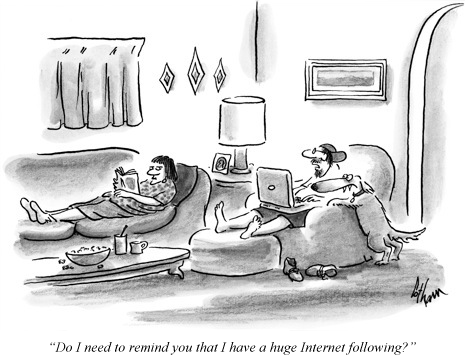


A little humour never hurts courtesy wordpress.com.


Format

How many columns do you want?  Where will you place your main post:  to the left, to the right or in the centre of the blog?  My blog home page shows my blogroll at the top left, my top five posts at the bottom left.  To the right, I have a blog counter and my blog followers under which I have my blog archives.


This Beauty Blog has a neat, easy to scan layout at advicesacademy.netdna-cdn.com.


Widgets, Buttons, Badges

Buttons are the small, clickable graphics that link to web content.  Badges are bigger buttons which are used as promotional tools.  Widgets have functionality ex. search features, blogrolls, recent visitors, Twitter posts, RSS feeds.


Good use of widgets, buttons & badges at May Dreams Gardens at 


Advertising/Sponsors

Decide whether or not you would like to provide advertisements on your blog.  You can advertise through Google Adsense.  What types of advertising would you like and what size will the ads be? You have to remember:  how will ads affect the overall look of your blog?  Typically, the blogs that I read seem to have two or three ads running at a time.  Too many can crowd out the blog posts and turn readers off.


Bakerella incorporates ads into its blog nicely at www.bakerella.com


Surf the Internet and look for blogs that you find attractive and that you find easy to navigate.  Try to imitate their designs.

For more information, visit http://www.successfulblogging.com/16-rules-of-blog-writing-which-ones-are-you-breaking/.

For a blog setup tutorial with Wordpress. Visit https://www.siteground.com/tutorials/blog/wordpress.htm.


Friday, 6 February 2015

Developping Good Blog Content

"For a blog to be successful, your content needs to be useful and unique to readers." (Darren Rowse)

You have found a blog niche, name, platform and design.  Now it's time to start developping your blog content.

Define Your Voice

According to Professional Blogging for Dummies (http://www.amazon.ca/Professional-Blogging-Dummies-Susan-Getgood/dp/0470601795) the first consideration you need to focus on is defining your voice.  What is your writing style?  How do you present your material?  Do you let your personality shine through in your writing?  Do you use the correct grammar and spelling?  Does your writing look professional?  How much do you want to share with your readers?  Do you want to include information about your spouse and children, or keep them out of your writing?  Do you want to invite guest bloggers to post?  If so, how will you keep their voice consistent with your own? These are questions you must consider in the early weeks of blogging.

Keep an Editorial Calendar

The second consideration is an editorial calendar.  Just as a magazine editor has a calendar to plan each upcoming issue, you need a plan for your blog, a "roadmap for your content" (Professional Blogging for Dummies).  Without a calendar, you have to start from scratch each day.  Even though I have had a successful blog for four and a half years, there were many days where I didn't know what to blog about.  I wasted a lot of time choosing a topic, often more time than I did writing.  Last year, I started grouping blog topics into days or even a week.  This year I am experimenting with a monthly topic.  I find myself looking forward to writing that much more because I already know what I'm writing about.

Professional Blogging for Dummies recommends filling in the following details in your editorial calendar for each post:

1.  date:  daily, weekly, biweekly, bimonthly, etc.

2.  type ex. narrative, essay, review (book, restaurant), opinion, podcast, promotion, news, recipe, roundup (top ten)

3.  topic:  divide blog into sections with tabs; my blog has three categories, history, home & writing

4.  author:  if you have guest bloggers

5.  art:  always include a picture or photograph; it catches the reader's eye ex. www.istockphoto.com or www.flickr.com

6.  media:  include a Youtube (https://www.youtube.com/?gl=CA) link or podcast

7.  deadline:  if you have guest bloggers

Don't forget to include a catchy title or headline.  You have only three seconds to catch the reader's attention before they move on to something else.  Also, include tags in your post to attract reader's who happen to google keywords from your post.

Invite Comments

The third consideration is comments for your blog, something recommended by experts.  If you don't have comments, your blog is simply a website.  You may choose to set up a system where you approve or disapprove the comments before they are officially posted.  You can restrict comments to stop profanity, negativity or HTML hyperlinks.  Some people aren't interested in engaging in dialogue but just want to promote their own blogs.  Some software programs allow you to pre-approve the first comment and then automatically approve any subsequent comments from that same blogger.  Post your policy somewhere on your blog so that readers know what your rules are regarding comments.

Add a Blogroll

Lastly, consider starting a blogroll to accompany your blog in a sidebar.  It is a good way to become part of the blogosphere community.  It also gives readers a sense of your taste and friends.  You may get discovered through a Google Alert.  Start with your favourite blogs, then influential blogs in your niche, then associations and affinity groups and then blogs dealing with complementary topics.  My blogroll includes a few history blogs, a few writing blogs and a few Christian blogs, a true reflection of my interests and values.

For more information, visit
http://www.problogger.net/archives/2006/02/18/writing-good-content/.


Tuesday, 3 February 2015

Name That Blog!

You want to enter the blogosphere and you've chosen a niche (subject).  Now you have to pick a name.  According to Professional Blogging for Dummies, your blog name is one of the most important parts of your blog, and one of the most difficult to change.  If your blog is active even for a short time, it remains in the Internet's memory and will be difficult to get rid of in the event that you change its name.  Remember, it sets the stage for your words.  So, choose wisely.

Here are ten tips for choosing a blog name:

1.  Brainstorm by writing down topics that you would like to blog about.

2.  Use your ideas as building blocks, experimenting by pairing different words together.

3.  Search keywords and phrases to avoid duplicating another blog name.

4.  Test the name that you choose on your family and friends.  Does the name match the content?

5.  Avoid song lyrics, movie lines and show titles to prevent copyright infringements.  If you are determined to use a certain title ex. Field of Dreams, use it in your tagline (the little explanation that follows your title) instead ex. The Best Baseball Blog with the tagline "A Field of Dreams".

6.  Remember your target audience.  What is the purpose of your blog ex. to entertain, to make people laugh, to educate people?

7.  Research similar blogs for ideas.

8.  Visit a blog name generator and it will punch out dozens of suggestions in seconds.

10.  Keep it short, to the point, and easy to remember.

Fore more information, read http://www.blogclarity.com/the-guide-to-choosing-a-blog-name-you-wont-regret-part-1/.

Here are some good examples of blog names:

-Simply Scribblings at http://simplyscribblings.blogspot.ca/ is my writer friend's blog.  It's simple, it uses alliteration and it encompasses a wide spectrum which makes it long lasting.

-Three Kids and a Teabag (now Three Kids, A Husband and a Teabag) at  https://threekidsandateabag.wordpress.com/ is the blog of my Bible study friend.  It peaks your curiosity:  what's the teabag all about?  It turns out that's what your tummy looks like after you've had three kids.

-Centsational Girl at www.centsationalgirl is a frugal living blog.  The play on words is cute.

-Earth Wind & Flour http://www.earthwindandflour.comis a food blog which plays on the group Earth Wind & Fire.


-The Patient Gardener at https://patientgardener.wordpress.com/ plays on the movie The Constant Gardener.

-To Love Honor & Vacuum at www.sheilawraygregoire.com is my writer friend's marriage blog.  It's catchy and it gives you an immediate mental image of a housewife.


Friday, 28 November 2014

Professional Blogging for Dummies

At Ollie's Discount Store in Niagara Falls, New York, I bought a copy of Professional Blogging for Dummies for only $6.99 (regular $29.99).  While I have had a blog for three and a half years, I thought it was about time I learned how to be a professional blogger, to make money at my blog.

I was happy to learn that I am already doing some things right.  I post regularly and frequently.  If I can't post, then I save the date and catch up later on.  I always include photographs or pictures in my posts.  Another thing I have been doing lately is listing previous posts which connect with a current post, almost like cross references.  I also have my five most popular posts listed on my home page. Recently, I started including tags in my posts to encourage backlinks.

Here are some things I can do to expand my reader audience.  Firstly, I can provide a link to other blogs, called a blogroll.  That way, I will get fellow bloggers aware of my blog and hopefully invite reader comments.  I can become a regular follower of other blogs and make comments on their posts. I can also link to Youtube for a sound bite occasionally.

I like the author's suggestion of categorizing my blogposts.  It makes it more reader friendly.  That way, I increase the likelihood of a reader reading more than just the current post.  

Of course, to make money, I can sign up with Google Adsense which I am in the process of doing. There are also freelance writing opportunities online for bloggers like Hubpages.

The author, Susan Getgood, also mentions how to monitor and measure the success of your blog, called Google analytics or metrics:  how many people read your blog (page views); how engaged they are with your blog ex. read one post, read multiple posts; how people find your site ex. search keywords; which are your most popular posts.  As the author states:

"Understand though that even a little bit of attention to your metrics can reap big rewards.  Just keep the importance of your metrics in perspective.  After all, you're a blogger, not a calculator."

So, look out fellow professional bloggers, here I come!

To read author Susan Getgood's blog "Marketing Roadmaps" visit:
http://getgood.com/roadmaps/

To order a book, visit:
http://www.amazon.ca/Professional-Blogging-Dummies-Susan-Getgood/dp/0470601795