Showing posts with label masthead. Show all posts

Monday, 9 February 2015

Designing Your Blog Layout

You only have a few seconds to catch a web surfer's interest with your blog.  You want to make your blog design attractive, to get the reader's attention, and easy to navigate, to get the reader to stay. Susan Getgood, in Professional Blogging for Dummies, (http://www.goodreads.com/book/show/7947250-professional-blogging-for-dummies) outlines a few points to remember when designing your blog.

Masthead

Your masthead, which includes your title, tagline and/or a graphic, is the first thing that readers see. It doesn't hurt to devote some time and effort to it.  Consider which colour scheme you would like. Should it match an already existing website?  My blog masthead does not have a photo or picture per se, but my background does include a world map.


Talbert Talks Travel incorporates a beautiful photo above its masthead at www.miamibeach411.com.


Logo

If you decide to include a logo, you have the option of making it yourself or hiring a professional. You can go to www.istockphoto.com to find free photos.  Similarly, you can obtain a Creative Commons license to have access to free graphics.  If you have your heart set on a unique, professional look, hire a graphic artist to design your logo ($500-$1500).


Kitchen Girl has a professional looking logo at www.tastydays.com.


Other Imagery

If your blog is a business one, you will want to include product photos, graphics and logos.  If you have a humorous blog, you might include cartoons.
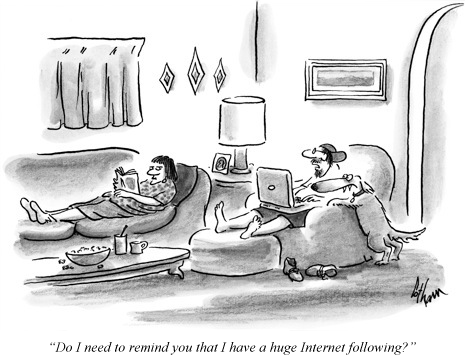


A little humour never hurts courtesy wordpress.com.


Format

How many columns do you want?  Where will you place your main post:  to the left, to the right or in the centre of the blog?  My blog home page shows my blogroll at the top left, my top five posts at the bottom left.  To the right, I have a blog counter and my blog followers under which I have my blog archives.


This Beauty Blog has a neat, easy to scan layout at advicesacademy.netdna-cdn.com.


Widgets, Buttons, Badges

Buttons are the small, clickable graphics that link to web content.  Badges are bigger buttons which are used as promotional tools.  Widgets have functionality ex. search features, blogrolls, recent visitors, Twitter posts, RSS feeds.


Good use of widgets, buttons & badges at May Dreams Gardens at 


Advertising/Sponsors

Decide whether or not you would like to provide advertisements on your blog.  You can advertise through Google Adsense.  What types of advertising would you like and what size will the ads be? You have to remember:  how will ads affect the overall look of your blog?  Typically, the blogs that I read seem to have two or three ads running at a time.  Too many can crowd out the blog posts and turn readers off.


Bakerella incorporates ads into its blog nicely at www.bakerella.com


Surf the Internet and look for blogs that you find attractive and that you find easy to navigate.  Try to imitate their designs.

For more information, visit http://www.successfulblogging.com/16-rules-of-blog-writing-which-ones-are-you-breaking/.

For a blog setup tutorial with Wordpress. Visit https://www.siteground.com/tutorials/blog/wordpress.htm.


Thursday, 5 February 2015

Choosing a Blog Design

"Good design is like a nice suit.  The clothes don't make the man, but they sure can make him look good." (Professional Blogging for Dummies)


You've chosen a blog niche, a blog name and a blog platform.  Now it's time to choose a blog design. Remember, you want your blog to stand out in the crowd.  You want it to catch the reader's attention.

You have three choices.  First, you can use a standard template, which usually looks generic.
Second, you can customize your template; in this case you require a basic knowledge of HTML (Hypertext Markup Language, a standardized system for tagging text files to achieve font, colour, graphic and hyperlink effects) CSS (Cascading Style Sheets) or PHP (Hypertext Preprocessor, a server side scripting language designed for web development).  Third, you can code your blog from scratch to give it a custom look.  The latter is only recommended for experts.

How much work are you willing to put into your blog design?  How much do you want your design to stand out?  These are the questions you should be asking yourself before you set up your blog.  A standard design template contains all the files necessary for your blog design.  A good design makes your blog content more accessible, something essential if you want to attract readers.

As it says in Professional Blogging for Dummies:  "A professional blog designer can create a completely custom design, help you tweak a template, or simply create a masthead [image plus blog name] and other graphics to spice up your blog."  You can find a blog designer by checking out your software's website.  Also, you can ask your favourite bloggers who designed their blogs.

Ideally, you want to make your blog match your website.  You also want to make your blog stand out.  A unique blog design is particularly useful for blogs about photography, graphic arts and humour.  A typical blog design template contains a masthead, posts, navigational tools and sidebars. It's up to you how you want to arrange these items.  Don't forget to create badges and widgets that others can download to promote your blog (www.hongkiate.com/blog).

Remember, content dictates design, not the other way around.  You want your readers to find what they're looking for quickly.

Check out the following website to learn more about designing a blog: http://howtomakemyblog.com/how-to-design-a-blog/.